
Contact Info
Sunmono Industrial Park, Sunshine Avenue, Jiangxia District, Wuhan City, Hubei Province, China
New York.
A cutter machine is a critical asset in textile, apparel, and fabric processing operations. When performance issues arise, production delays and quality inconsistencies can quickly impact your bottom line. Understanding how to identify and resolve common problems with your rotary cutter or precision cutting equipment is essential for maintaining consistent output and reducing downtime. This guide walks you through systematic troubleshooting approaches that help you diagnose issues before they escalate into costly repairs.
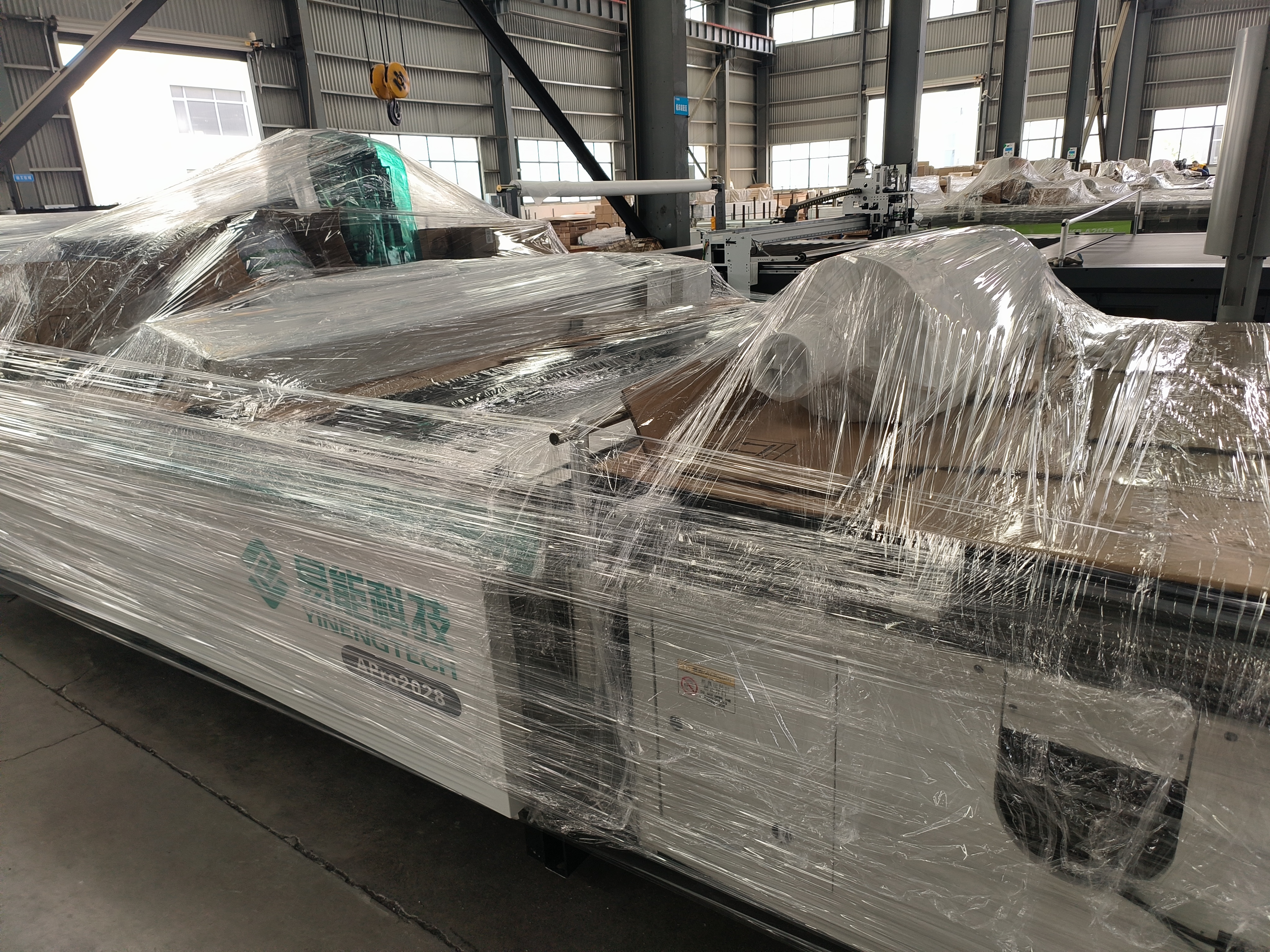
Effective troubleshooting of your automated fabric cutter requires a structured methodology. Rather than attempting random fixes, a methodical approach to diagnosing problems saves time and prevents unnecessary component replacement. By understanding the root causes of poor performance, you can implement targeted solutions that restore your cutting equipment to optimal operating conditions. This article provides actionable insights into the most common issues affecting cutter machines and proven remedies.
Blade degradation is one of the most frequent causes of poor performance in precision cutting equipment. When your rotary cutter produces rough edges, inconsistent cut widths, or requires excessive downward force, the blade is likely worn or dulled. Fabric fraying, uneven cuts, or incomplete penetration through material layers all signal that your cutting blade needs attention. Inspect the blade under magnification to identify micro-chipping, flat spots, or visible wear patterns.
Blade sharpening or replacement depends on your specific cutter machine model and blade type. High-carbon steel blades may be honed to restore edge sharpness, while carbide or ceramic blades often require professional re-grinding or replacement. Track cutting cycles and establish a preventive maintenance schedule that includes blade inspection at regular intervals. Keeping spare blades on hand reduces unexpected downtime when blade replacement becomes necessary for your automated fabric cutter.
Blade misalignment causes uneven cuts and premature wear on your precision cutting equipment. If your rotary cutter begins cutting at an angle or produces wider cuts on one side of the material, alignment problems are likely at fault. Check that the blade holder is firmly secured and that no debris has accumulated between the blade and its mounting surfaces. Vibration during cutting often indicates loose components or worn bearings that allow blade drift.
Realignment typically involves adjusting mounting bolts, checking guide rails for debris, and verifying that material feed rollers are parallel to the blade. Many cutter machine models include alignment marks or adjustment screws designed for this purpose. Consult your equipment manual for model-specific alignment procedures. Regular lubrication of guide rail systems prevents binding that causes misalignment and extends the operational lifespan of your cutting equipment.
When your automated fabric cutter fails to advance material smoothly, or if fabric jams or bunches, the feed system requires investigation. Feed rollers may accumulate lint, thread waste, or dried adhesive that reduces grip on the material. This buildup prevents consistent material advancement and causes slippage that results in misaligned cuts. Inspect feed roller surfaces for debris, wear patterns, or contamination that impairs their ability to hold fabric in place.
Cleaning feed rollers with appropriate solvents restores material grip for your rotary cutter. Replace worn rollers if their surfaces show permanent flattening or loss of texture. Check feed roller tension and bearing condition; insufficient tension allows slippage while excessive tension strains the drive motor. Verify that the material is properly loaded and that no bunching occurs before the cut begins. Your precision cutting equipment performs best when material handling systems are maintained according to manufacturer specifications.
The drive system powers both cutting blade and material feed mechanisms on your cutter machine. Slipping belts, loose pulleys, or motor bearing wear reduce cutting force and slow production rates. Listen for unusual grinding or whining sounds that indicate bearing stress. Check drive belt tension by applying finger pressure; excessive slack allows slipping while over-tightening strains the motor and shortens bearing life on your automated fabric cutter.
Replace drive belts that show cracking, fraying, or glazing on their surfaces. Inspect pulley alignment to ensure belts track straight without rubbing edges. Motor performance decline often correlates with bearing wear; if your precision cutting equipment shows reduced cutting speed despite proper belt tension, motor bearing replacement may be necessary. Establish a preventive maintenance cycle that includes belt and motor inspections to catch deterioration before it causes operational failure.
Electrical faults can disable your rotary cutter or cause erratic operation that mimics mechanical problems. Verify that your cutter machine receives stable three-phase power at the correct voltage specified in the equipment manual. Loose electrical connections, corroded terminals, or damaged power cables reduce voltage supply and compromise cutting performance. Check that emergency stop buttons, safety interlocks, and control circuit breakers function properly; disabled safety systems may prevent the machine from operating.
Test control panel indicators and display screens to confirm they respond to inputs as expected. If your automated fabric cutter shows no response to operator controls despite receiving power, internal circuit board failures or loose internal connections may be responsible. Engage a qualified electrician or equipment service technician to diagnose persistent electrical problems. Never attempt to service electrical systems without proper training and lockout-tagout procedures to prevent injury.
Modern precision cutting equipment relies on position sensors, material thickness detectors, and safety interlocks to maintain cutting accuracy and operator protection. When these sensors malfunction, your cutter machine may produce inconsistent cuts, fail to start, or cut incorrectly. Sensor contamination from fabric dust, oil residue, or mechanical damage prevents reliable signal transmission. Clean optical and proximity sensors with appropriate materials to restore their detection capability without damaging sensitive surfaces.
Test sensor output using your equipment control panel diagnostics if available, or consult the manual for sensor testing procedures specific to your rotary cutter model. Misaligned sensors produce weak signals that cause intermittent operational failures in your automated fabric cutter. Verify that sensor mounting brackets remain firmly attached and that nothing obstructs the sensing area. Sensor replacement becomes necessary when cleaning and realignment fail to restore reliable signal detection for your cutting equipment.
Preventing problems through proactive maintenance proves far more cost-effective than reactive troubleshooting of your cutter machine. Establish a maintenance schedule that includes weekly cleaning, monthly inspections, and quarterly preventive services based on your equipment's operating hours and cutting volume. Keep detailed maintenance logs that record blade replacements, lubrication dates, belt adjustments, and any issues encountered during operation of your rotary cutter.
Regular lubrication of moving components reduces friction and wear that degrade precision cutting equipment performance. Use only lubricants specified by your manufacturer to avoid attracting dust or damaging sensitive components. Inspect hydraulic or pneumatic systems for leaks that reduce cutting force on your automated fabric cutter. A well-maintained machine sustains consistent performance and extends overall equipment lifespan while reducing unplanned downtime.
Environmental conditions significantly affect your cutter machine reliability. Excessive dust accumulation clogs feed mechanisms and contaminates cutting surfaces on your precision cutting equipment. Maintain proper ventilation and air filtration in your cutting room to minimize dust ingress. Temperature fluctuations and high humidity can affect material properties and sensor accuracy, so maintain stable environmental conditions for optimal rotary cutter performance.
Operator training ensures your automated fabric cutter is used correctly and problems are identified early. Train staff to recognize warning signs such as unusual noise, vibration, or cutting quality changes. Encourage operators to report minor issues immediately rather than continuing operation with a malfunctioning machine. Implement usage guidelines that prevent overloading material thickness limits or running the cutter machine beyond its designed capacity, which accelerates wear.
Start by checking blade sharpness and cleanliness; dull or contaminated blades are the most common cause of poor cutting performance. Next, verify that material is properly fed and aligned with the blade. Inspect for loose components, unusual vibration, or sounds that suggest mechanical issues. Finally, confirm electrical power is stable and all control buttons respond correctly. These simple checks often identify the problem without requiring service calls for your cutter machine.
Blade replacement frequency depends on cutting volume, material type, and blade material. High-carbon steel blades on an automated fabric cutter typically need replacement every 300–500 cutting hours, while harder materials like carbide last longer but cost more. Track your actual cutting hours and establish a replacement schedule based on cutting quality rather than arbitrary time intervals. Inspect blades regularly and replace them when edge degradation becomes visible or cutting quality declines noticeably on your precision cutting equipment.
Basic checks like verifying power supply, checking cable connections, and confirming panel indicator responses are safe for operators. However, internal circuit board diagnosis, motor testing, and electrical component replacement should only be performed by qualified service technicians. Improper electrical work on your rotary cutter risks personal injury and equipment damage. Always follow lockout-tagout procedures and consult your manufacturer's service documentation or contact authorized service providers for complex electrical issues affecting your precision cutting equipment.